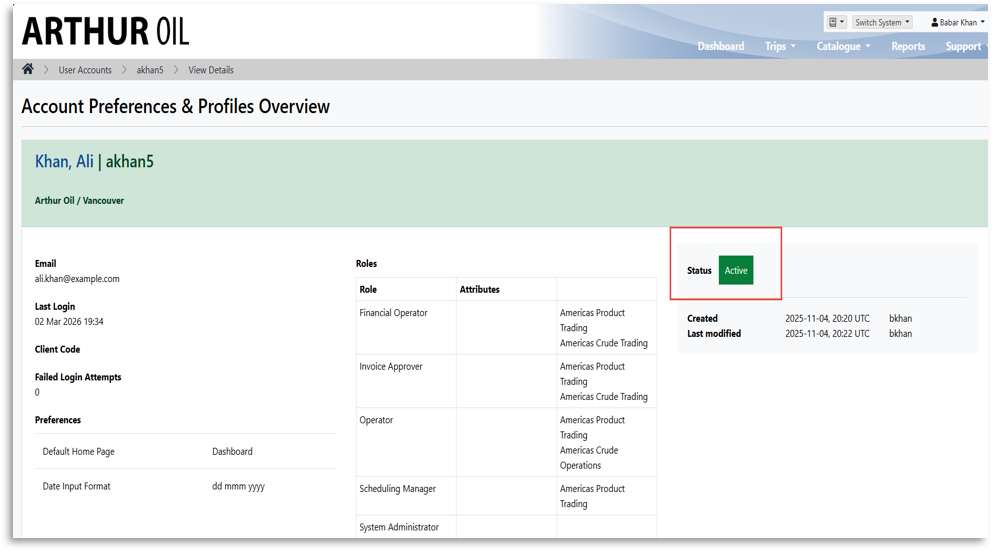
To view the account status in Navarik, please see the steps outlined below:
1. From the catalogue menu, select User Accounts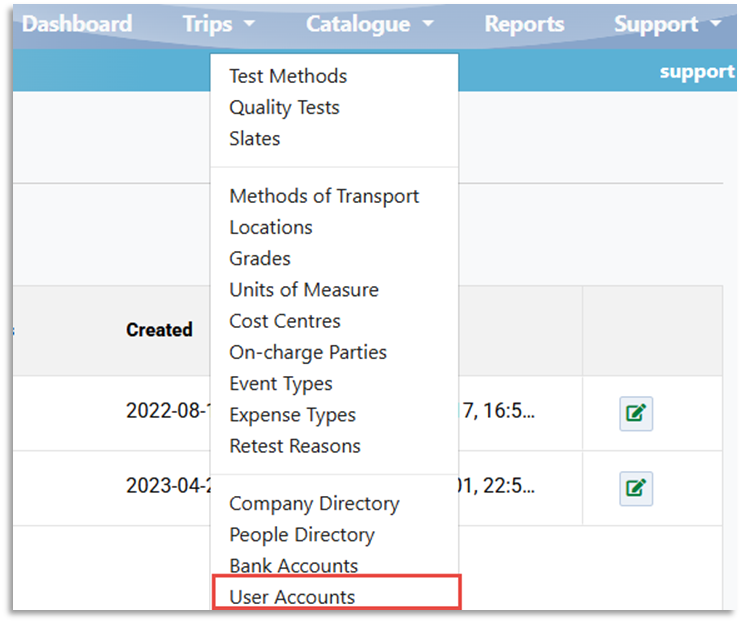
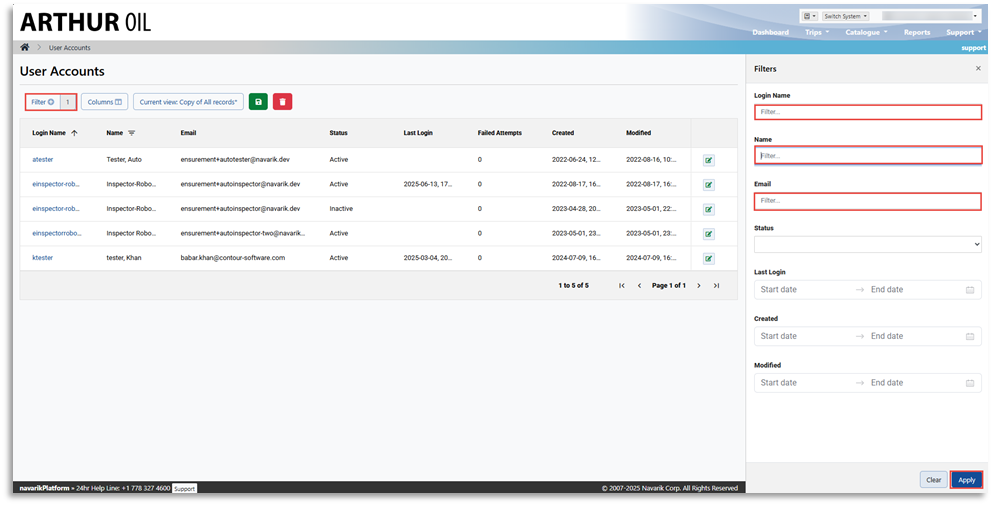
2. Click the Filter tab on the User Accounts page, enter the user login name, name, or Email, and click Apply
3. On the Accounts Preferences & Profile Overview page, see the account Status