If a quote request has been issued by the cargo owner and a service provider has responded by submitting a quote, the cargo owner can either proceed with moving forward with that quote or they may reject it. The cargo owner may have received various quotes for the same service type and has decided on the best suitable quote.
If you are a cargo owner and would like to reject an additional service job quote, please see below:
1. Navigate to the Trips drop-down menu and select "Additional Service Jobs" (or alternatively, navigate to the nomination that is referencing this quote)
2. Search for the quote and select the corresponding Service Request ID
3. On the top left-hand side, select "Respond to Quote"
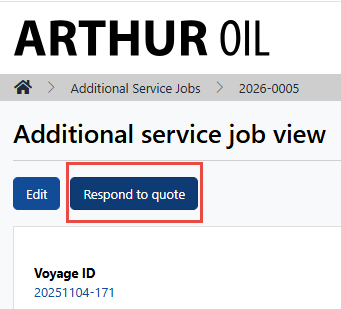
4. At the bottom of the page, select "Reject Quote"

5. If you navigate to the voyage viewall, the rejected quote will be present underneath the nomination:
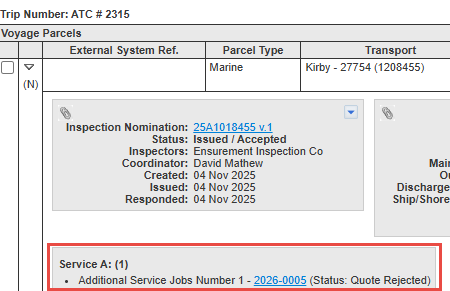
NOTE: The vendor will be notified via email that their quote was rejected
NOTE: If needed, the same vendor can now receive another quote request for the same service type from the cargo owner