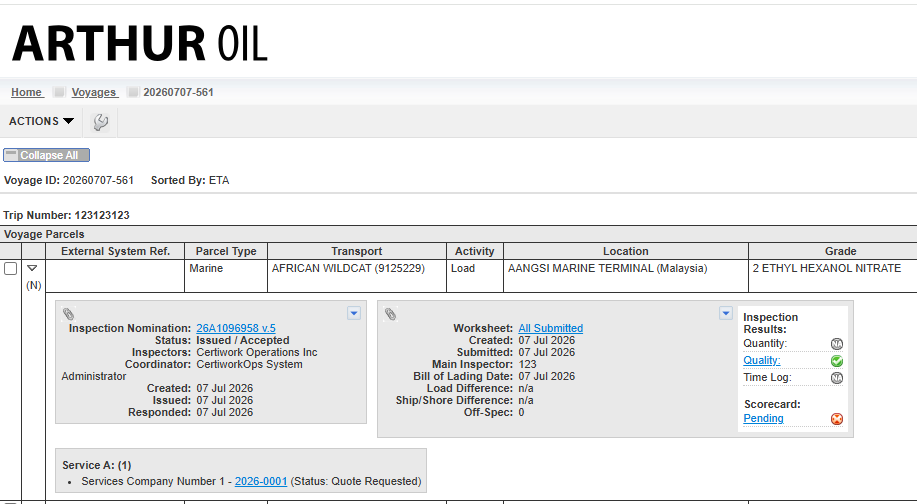
As a cargo owner, the option to set up an additional service quote request can be done by following the below steps.
NOTE: Cargo owners are able to submit multiple quotes to various vendors
1. Navigate to the voyage viewone of the movement you would like to receive a quote(s) for
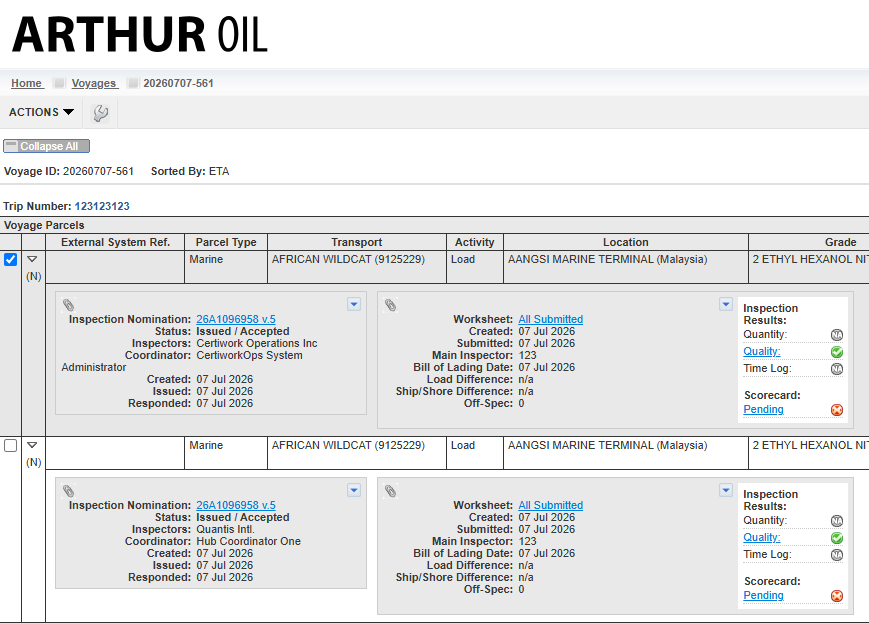
2. Select the checkbox of the nomination you would like to request a quote for:
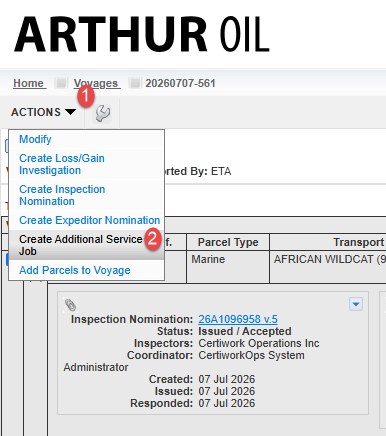
3. Select the Actions drop-down menu on the left-hand side and follow this by clicking "Create additional Service Job":
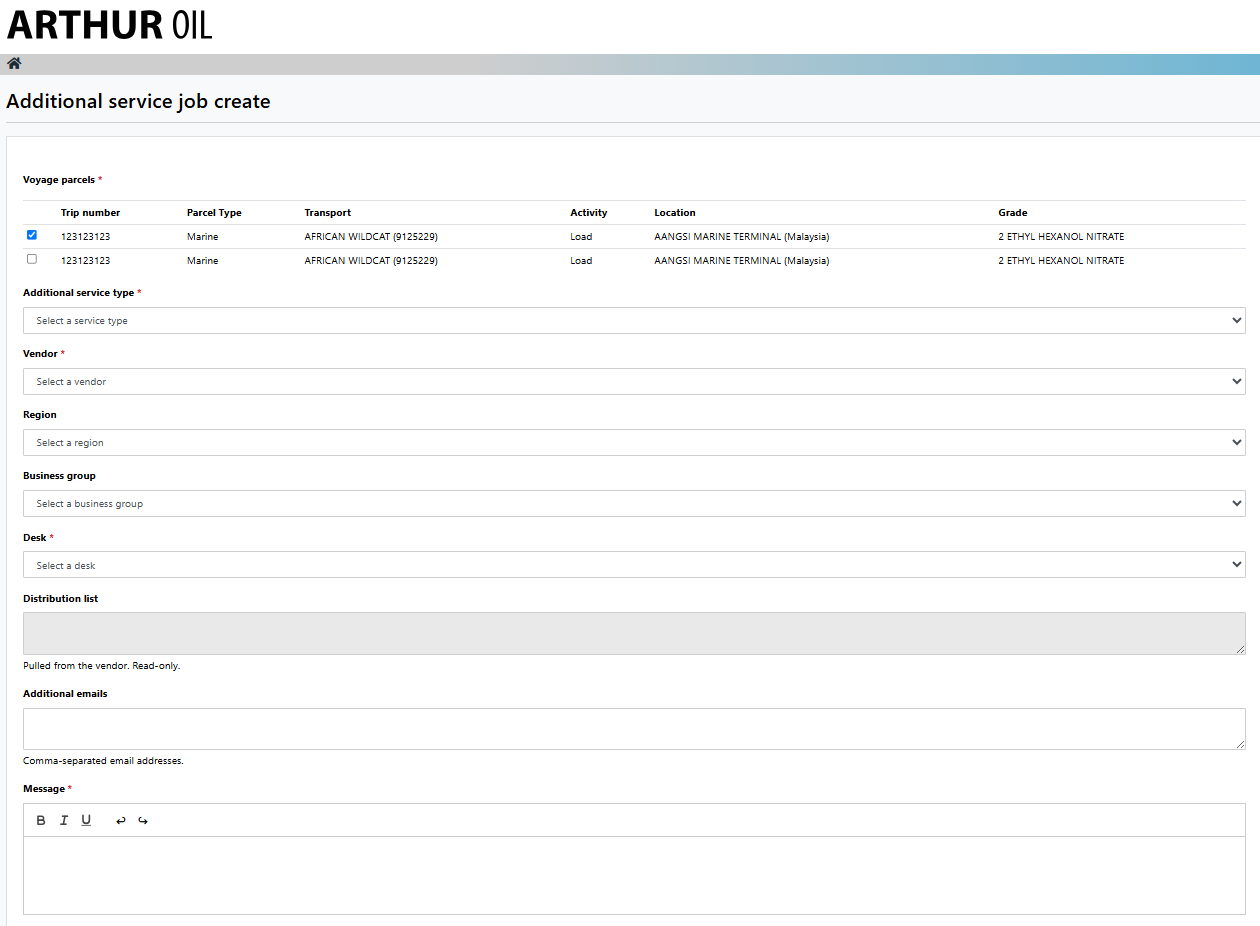
4. The parcel should be selected and all items with the red asterisk should be filled in:
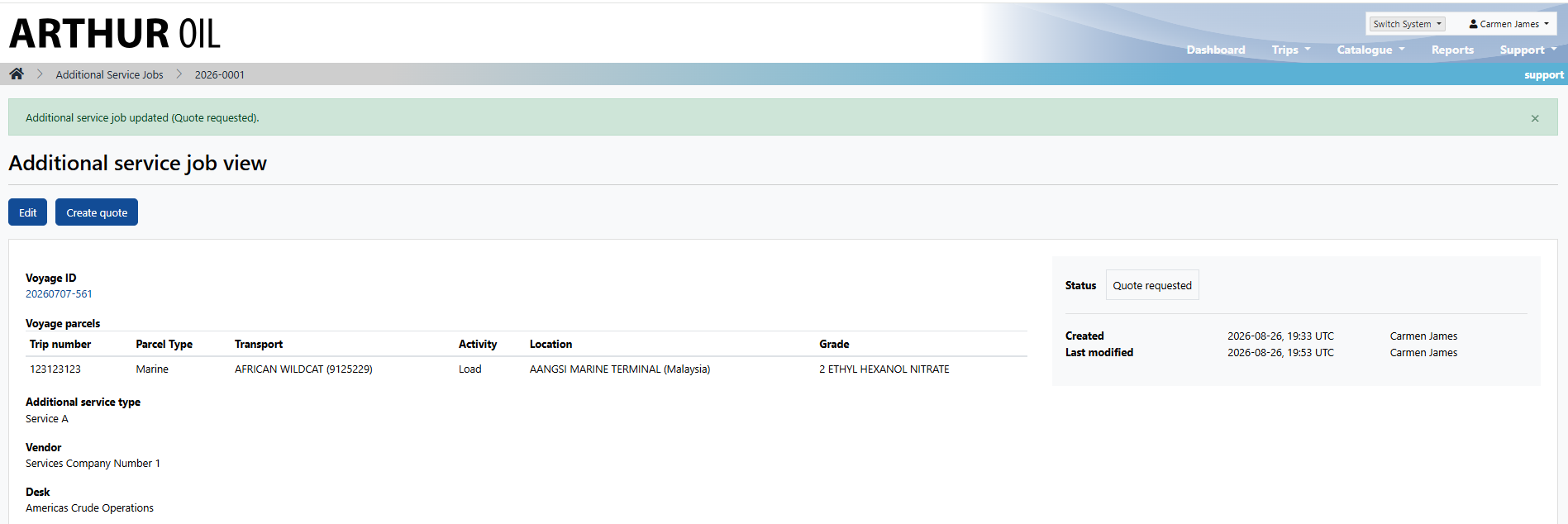
5. A green message should appear at the top of the page when the quote request has been successfully submitted:
NOTE: the respective service vendor will have received a notification for this request
6. When navigating back to the voyage viewone, the quote should be shown underneath the respective inspection nomination: