When a cargo owner company submits a quote request, the additional services job vendor can submit a quote. This does not mean that the cargo owner will move forward with hiring the additional service job vendor as the cargo owner company can request quotes from multiple vendors. Should the submitted quote be accepted by the cargo owner, the job can move forward and an invoice can be submitted.
NOTE: If the additional services job quote is rejected by the cargo owner, the additional services vendor will receive a notification.
As an additional services vendor, here are the instructions on how to submit a quote when a quote is requested:
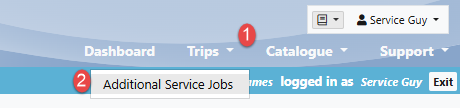
1. Navigate to the Trips drop-down menu and select "Additional Service Jobs":
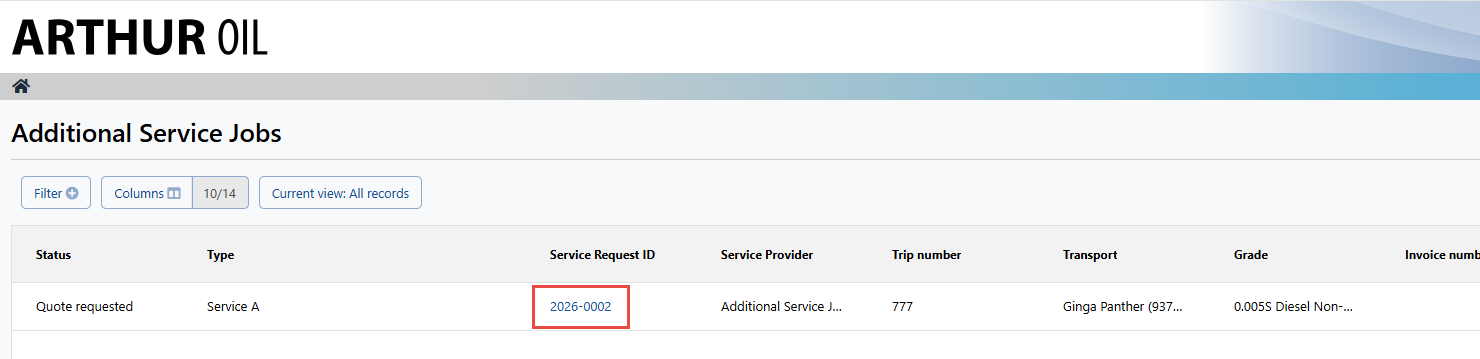
2. Select the Service Request ID number of the service job you would like to submit a quote for:
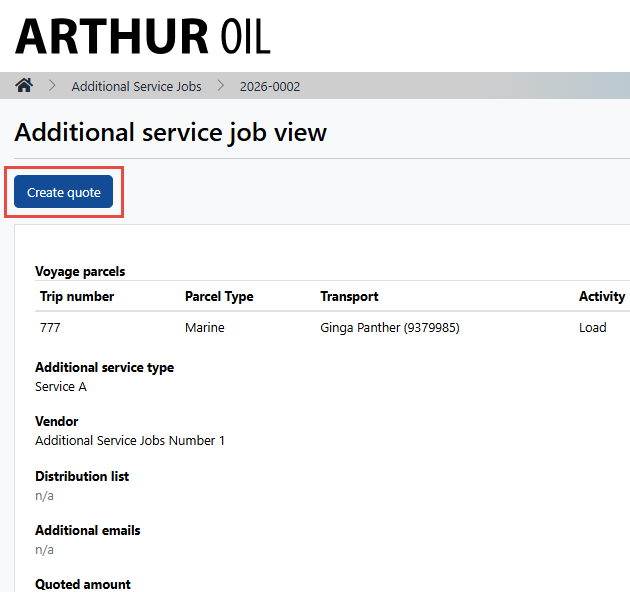
3. Select "Create Quote":
4. Fill in the items with a red asterisk and select "Submit Quote":
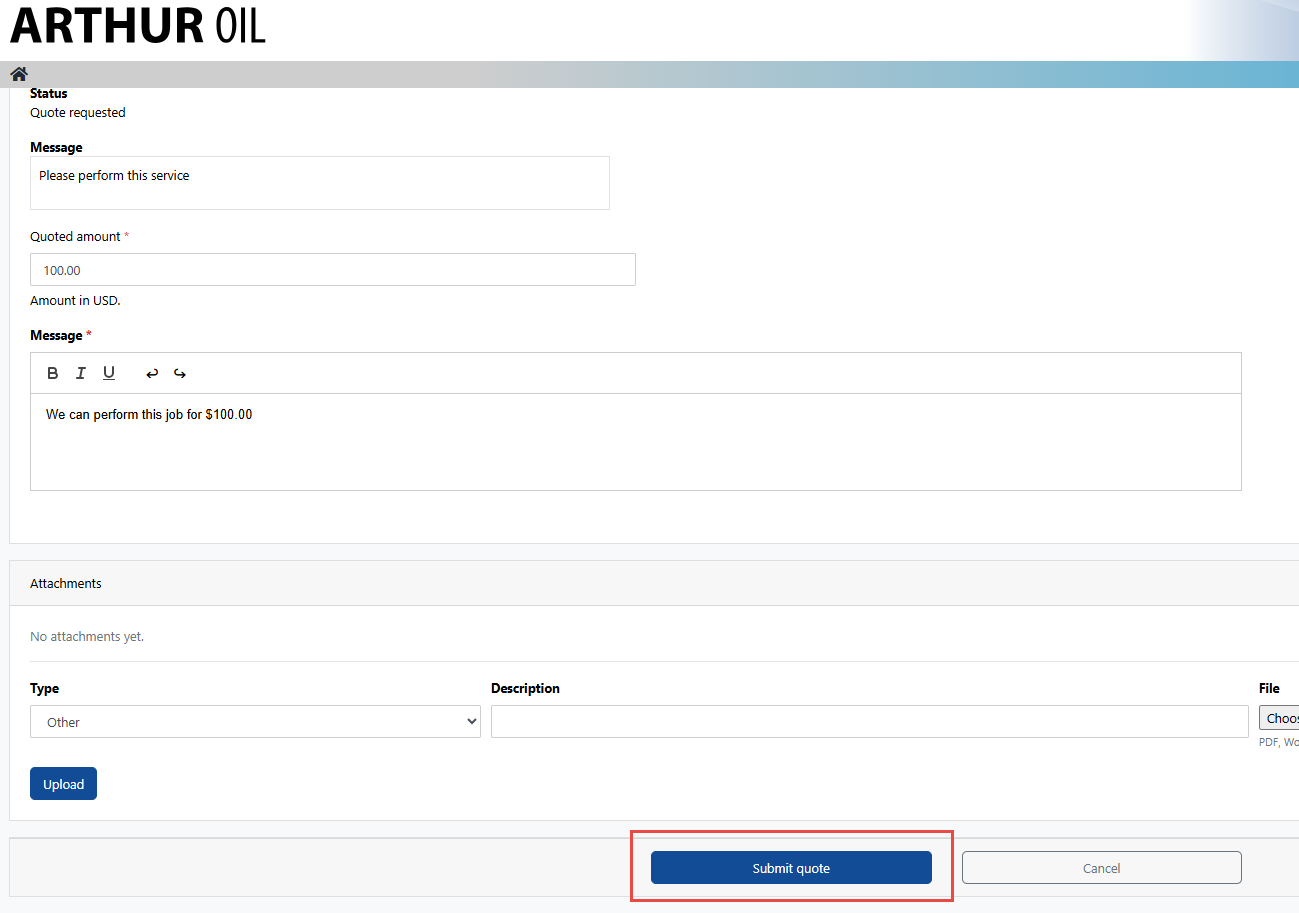
At this point, the cargo owner is notified of the submitted quote. Whether the quote is accepted or rejected, the services vendor will be notified and a log of all quotes are kept on the Additional Services Job viewall page.