If you are an additional services job vendor and your quote has been accepted, you will be able to submit an invoice in Navarik Inspection. Please see the instructions below:
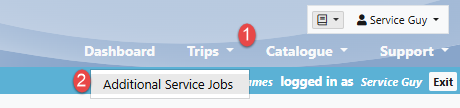
1. Navigate to the trips drop-down menu and select "Additional Services Jobs"
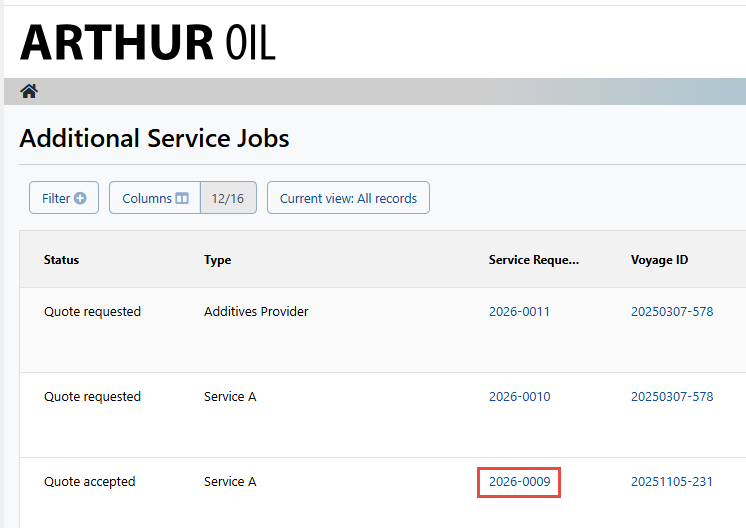
2. Select the Service Request ID of a quote in accepted status NOTE: Only a quote in "Quote Accepted" status can be invoiced
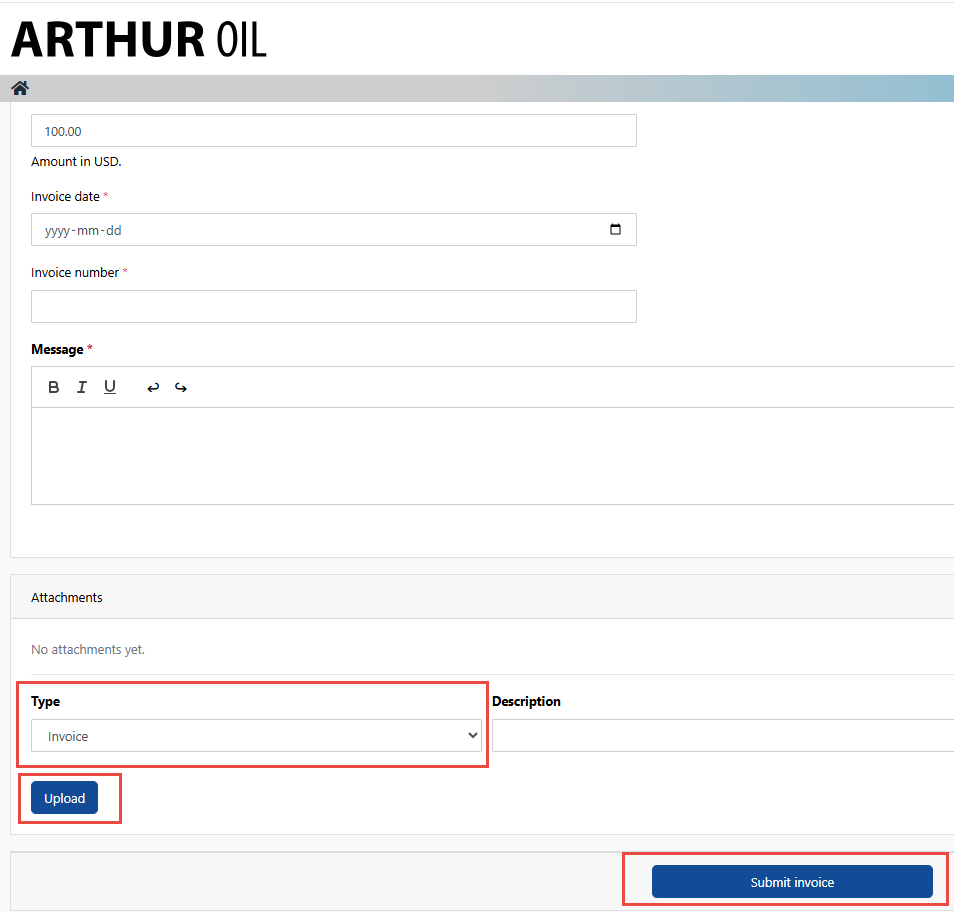
3. Fill in all fields required with an asterisk as well as an attachment with the type being set to "Invoice" NOTE: The attachment will only save after "Upload" has been selected
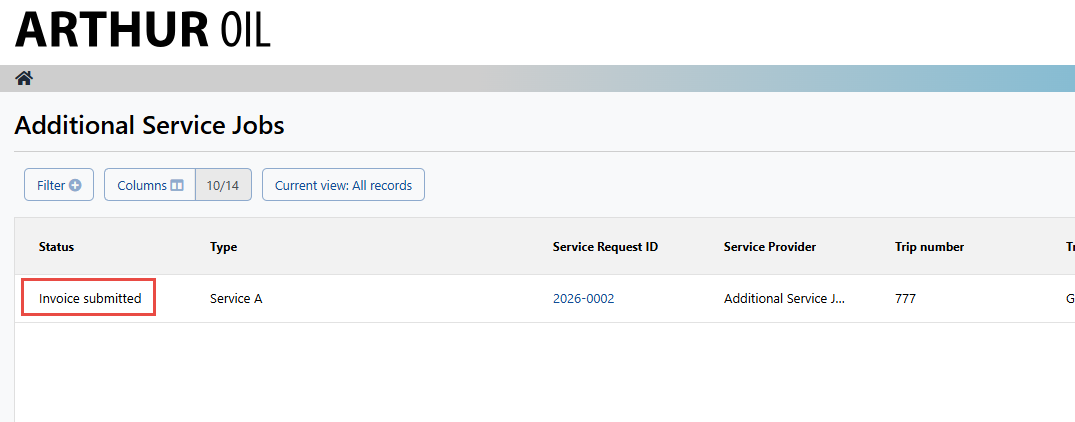
4. Once the invoice has been submitted, the status will display "Invoice Submitted" and the cargo owner will move forward with processing the invoice
Additional Service Jobs viewall: