Test Methods are the way that Quality Tests are measured. In Navarik Inspection they are created, modified, and deactivated through the catalogue drop-down menu. Please note you may need system administrator permissions from the cargo owner side in order to perform any actions beyond read-only.
To create a Test Method please see: Create Test Methods
Modify a Test Method:
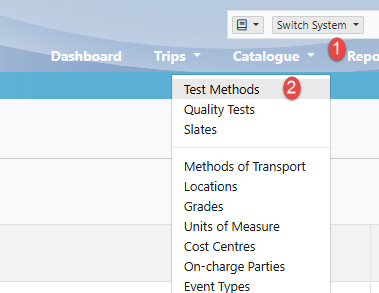
1. Navigate to the Catalogue drop-down menu
2. Select Test Methods
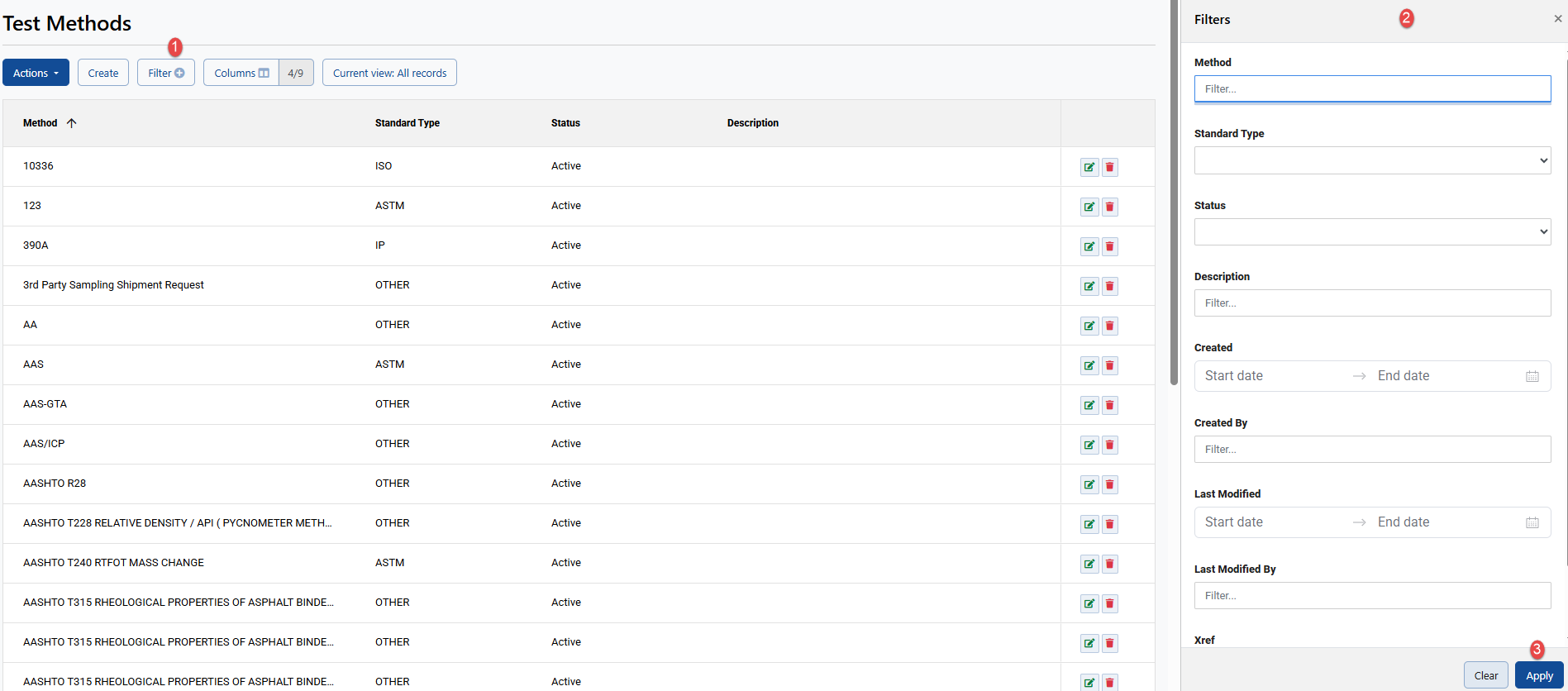
3. Select a Test Method from the viewall by selecting the green edit icon on the right-hand side (or filter for the one that you need and then select the green edit icon):
Edit icon:

Filter and then select edit icon:
4. On the modify screen, make your amendments and select Save:
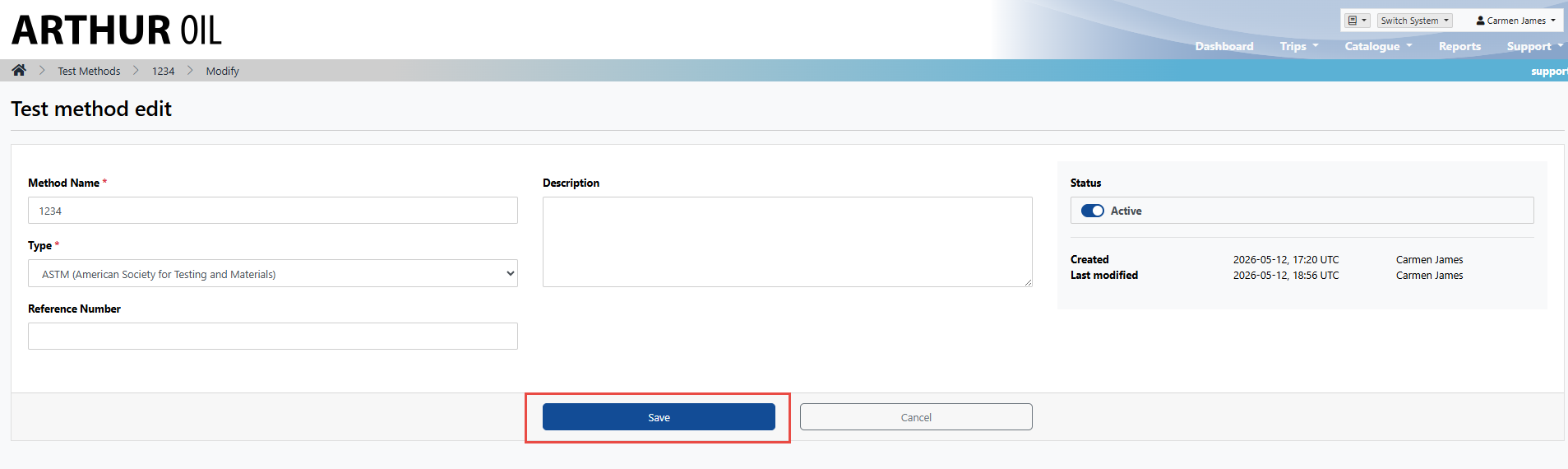
Once the Test Method has been successfully changed, the system will bring you back to the Test Method viewall. Additionally, the Test Method will reflect the user who made the change and the date/time stamp as well.
Delete/Deactivate Test Method:
As with all Navarik Inspection catalogue data, the Test Method can only be deleted if it has not been referenced elsewhere - on a nomination for example.
Delete:
1. Select the red icon on the right-hand side of the screen

2. The system will ask you if you would like to move forward with this action - Select Delete to continue or otherwise select Close at the bottom of the screen:
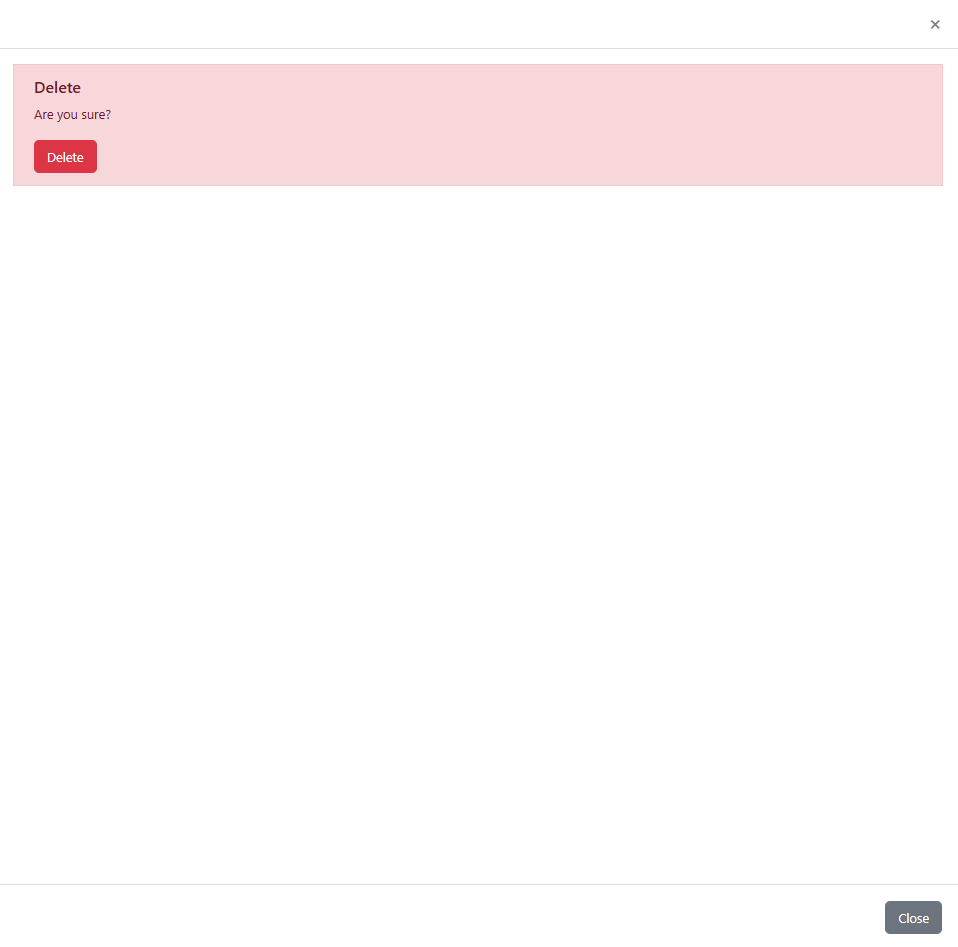
3. If you selected Delete, the system has now deleted this record and users will not be able to search for it or use it
Deactivate:
1. Select the red icon on the right-hand side of the page
2. The system will prompt you and inform you that this record can only be deactivated
3. Select Deactivate or otherwise select Close at the bottom of the screen
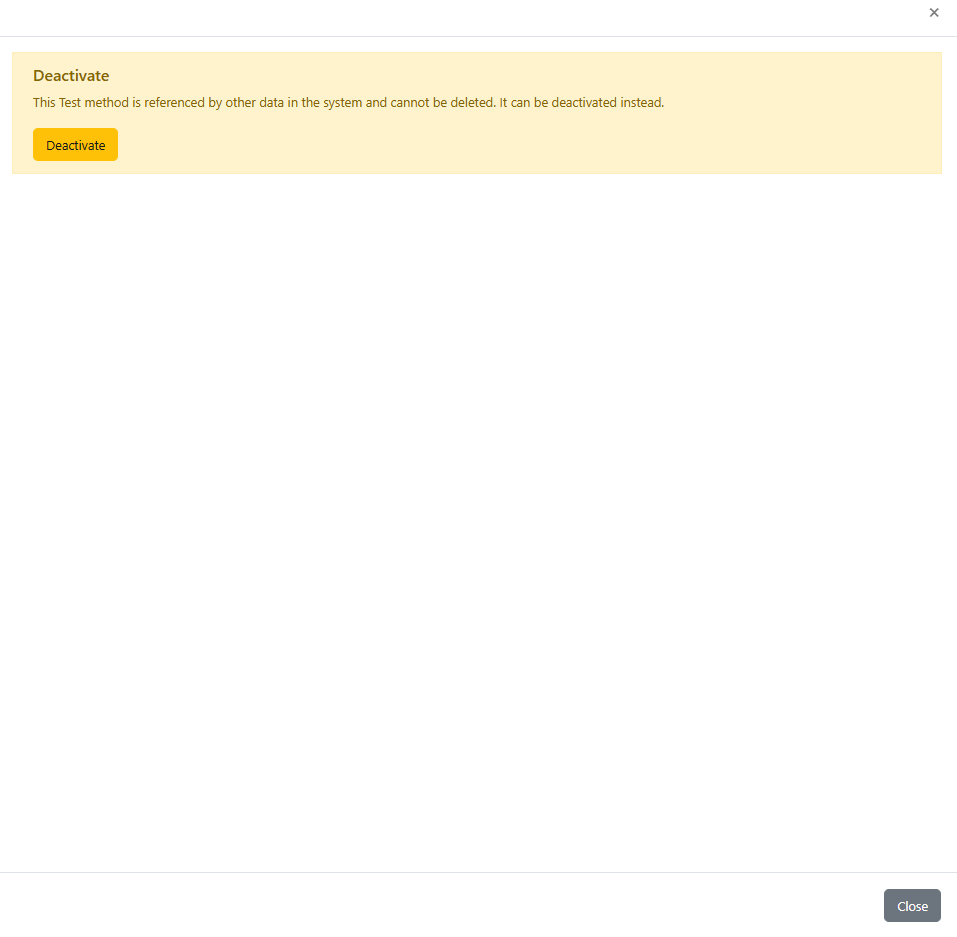
4. If you selected Deactivate, the system has now deactivated this record and users will be able to search for it in the Catalogue menu but they will not be able to use it in nominations or when creating quality tests