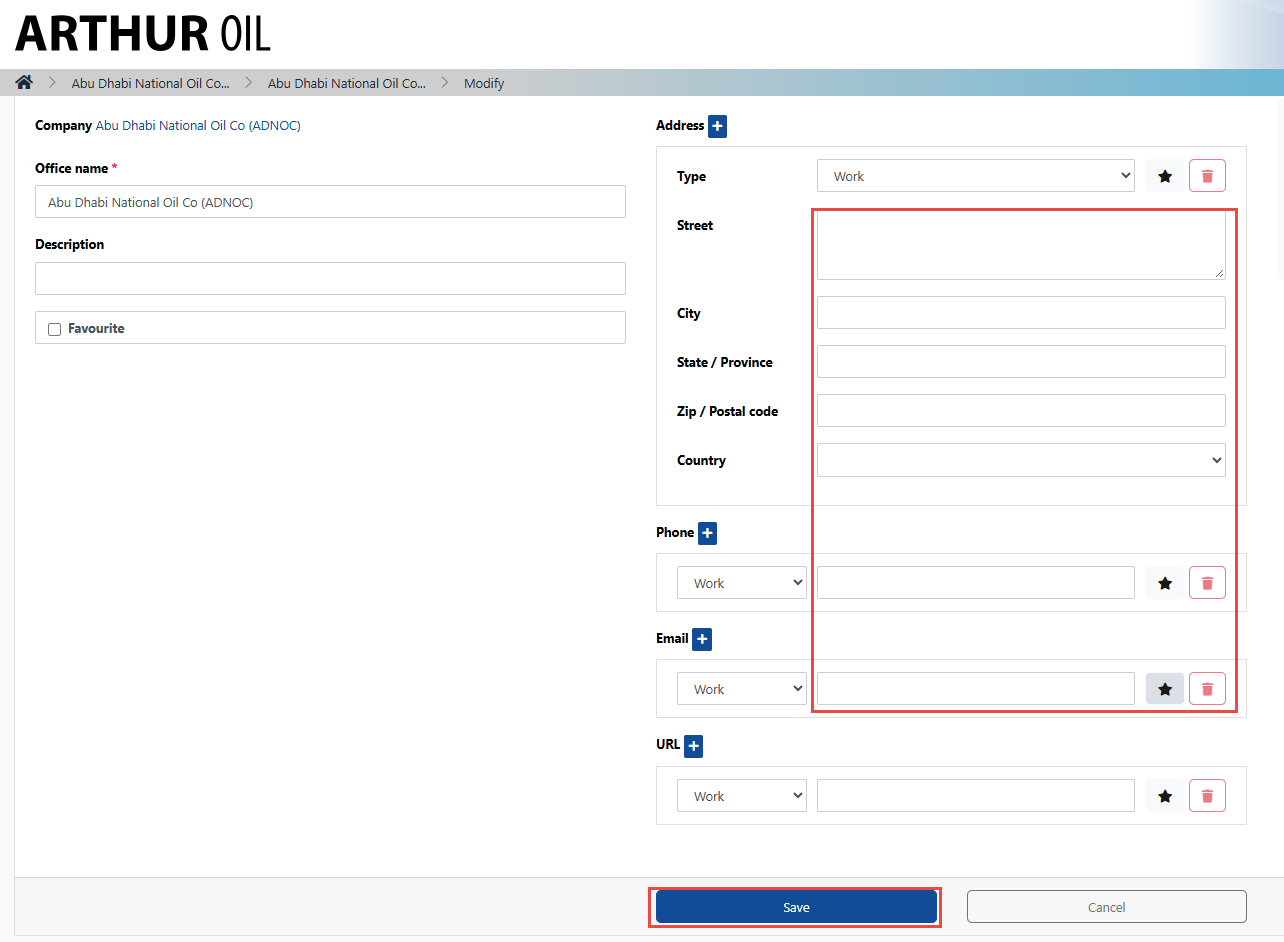
Users with system administrator permissions can edit and update their company information
To update the local office address, please see the steps outlined below:
1. Log into the cargo company profile in which you wish to update your information
2. Navigate to the catalogue drop-down menu and select Company Directory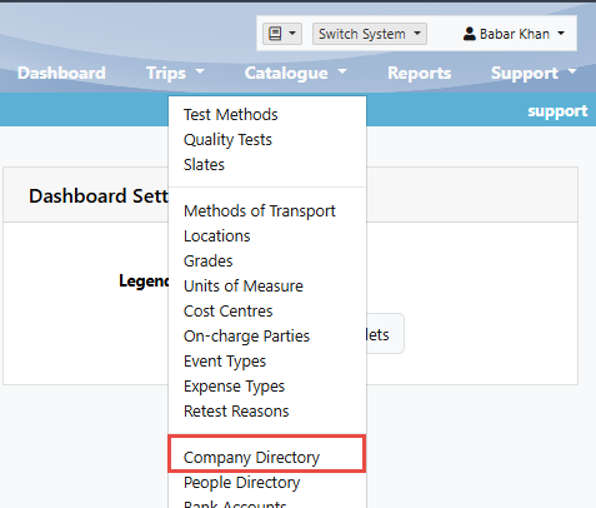
3. From the Company view-all page, click on your company name
4. From the Company view-one page, click on the office company name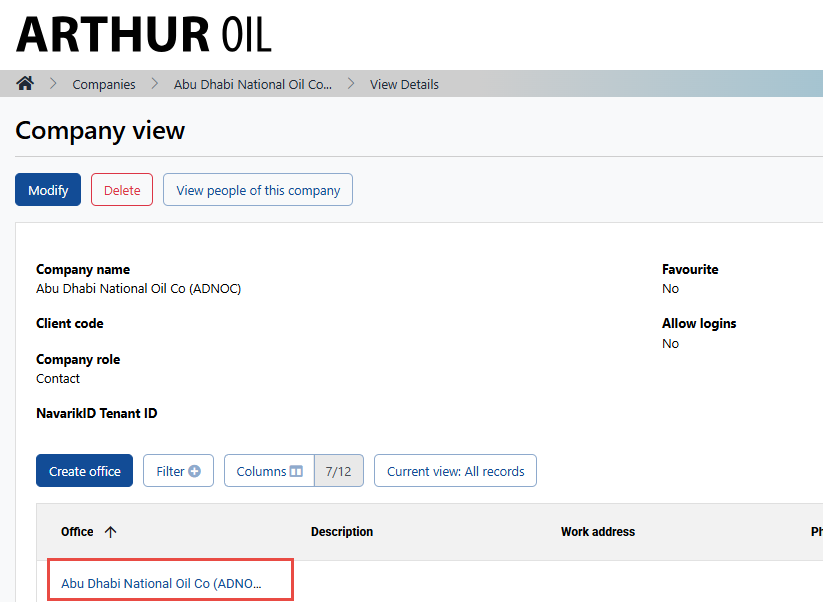
5. On the office view-one page, click Modify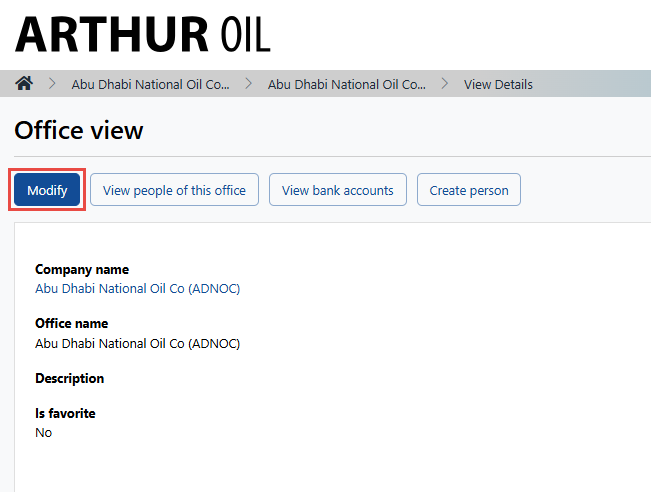
6. Enter the office address/information and click Save