Operator:

Inspection Company:
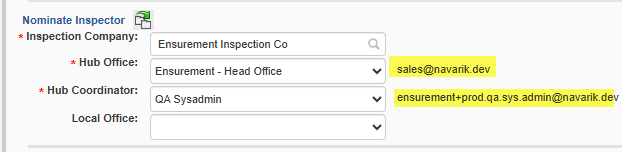
Important Note: These email addresses will be found at the bottom of the nomination under the "Recipients and Attachments Section" upon issuing the nomination. These sets of email addresses cannot be removed (in the below image the email addresses are permanent). If multiple inspection companies are involved (multi-parcel nomination), these email addresses will only receive information pertaining to their job. The system separates the information that is being sent - inspection company A will receive information only for inspection company A. Inspection company B will only receive information for inspection company B - this includes the nomination PDF. The nomination PDF is separated by inspection company.
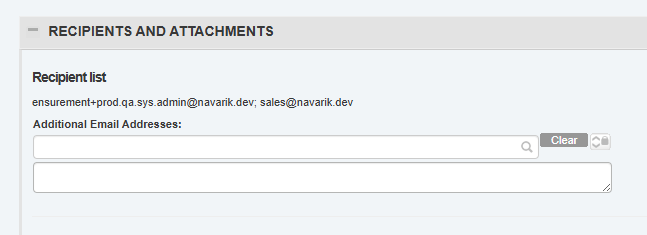
Should other parties be required to receive information pertaining to this nomination, additional email addresses and attachments can be added manually by the operator in two other areas on the nomination form. Here is where things no longer automatically get separated per inspection company.
For Quality and/or Quantity results, email addresses can be added on a parcel level. NOTE: The Navarik Inspection system does not restrict or limit whom the results are sent to so caution is advised when adding email recipients into this field. Any email address listed in this field will receive a copy of the inspection results (quantity or quality or both) when the inspection worksheet has been submitted by the inspection company.
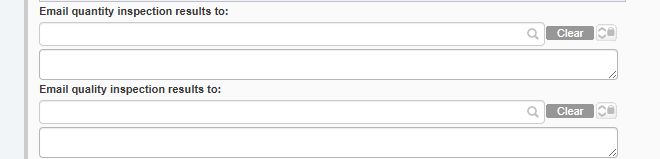
For nomination information, email addresses can be added on a nomination level. NOTE: The Navarik Inspection system does not restrict or limit who the nomination information is sent to so caution is advised when adding email recipients into this field. Any email address listed in this field manually will receive information pertaining to the nomination as well as any included attachments when the nomination is issued or each time it is revised. For example, if inspectioncompanyA@example.com and inspectioncompanyB@example.com are manually included, they will both receive information about the nomination that they may not be privy to. If an attachment specifically for inspection company A is manually added, this will be sent to all parties listed on the nomination form. The types of emails that the added recipients will receive include "Notice of New Inspection Nomination", "Notice of Nomination Revision". etc. They will receive communications around the nomination and any revision-issuing changes to it (please see the comm log for all outgoing emails relating to the nomination).
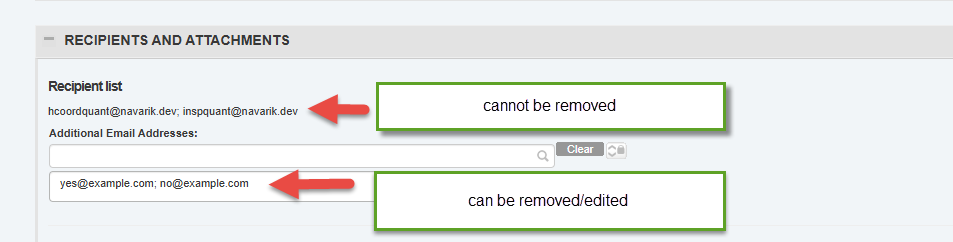
NOTE: To help distinguish which email addresses the system has added automatically and which email addresses have been manually added by the operator, the "recipients and attachments" section can help. Once the nomination is in modify mode, the email addresses that cannot be removed are the ones that the system has added. The email addresses that are listed and can be removed or modified are the ones that were manually added.
All attachments in the Recipients and Attachments section are shared for everyone to see.
Recipients and Attachments:
For these types of emails, please see below:
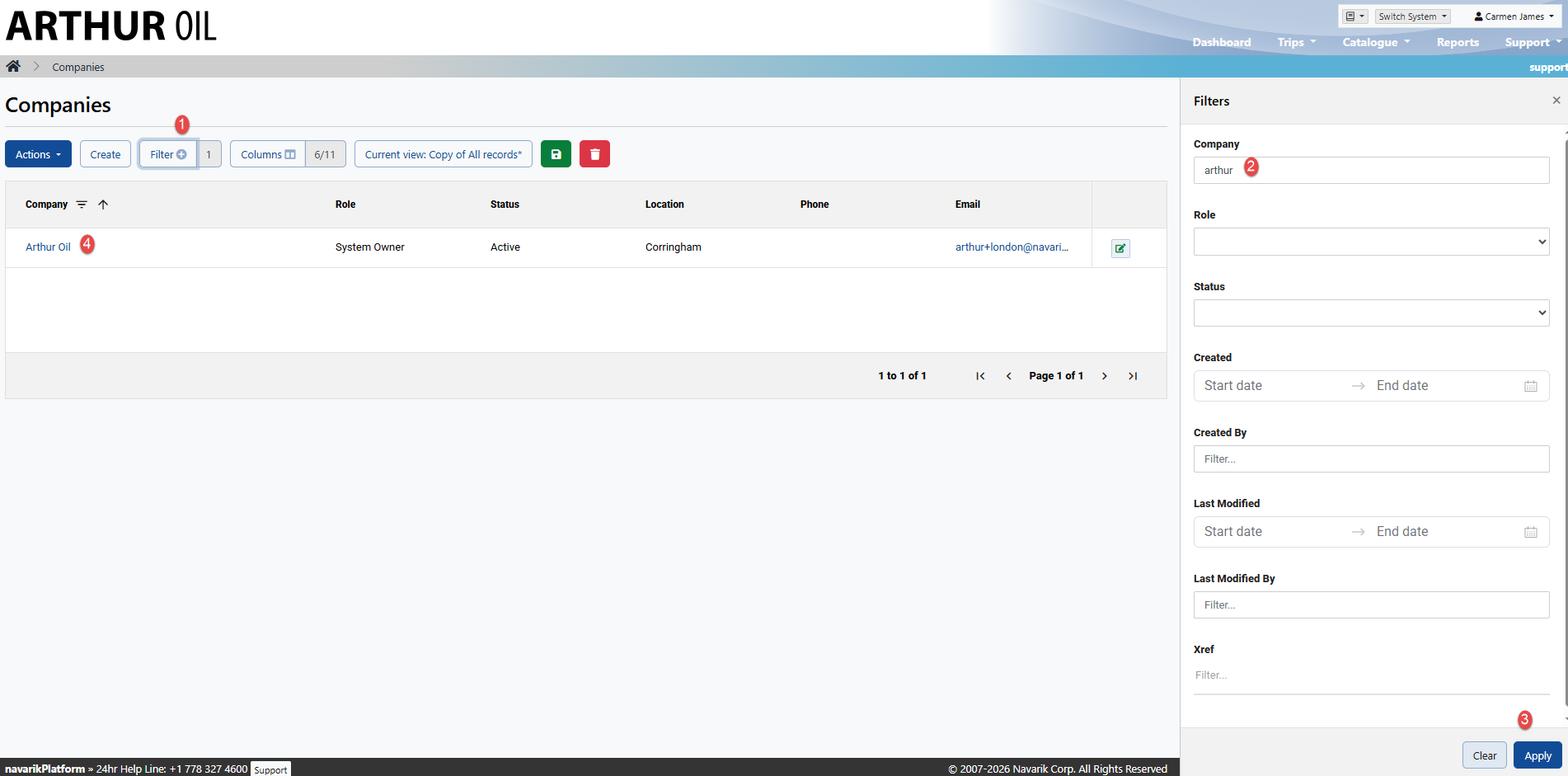
1. If you are a cargo-owner system administrator, navigate to the "Catalogue" drop down
2. Select Company Directory
3. Filter for your company and open it
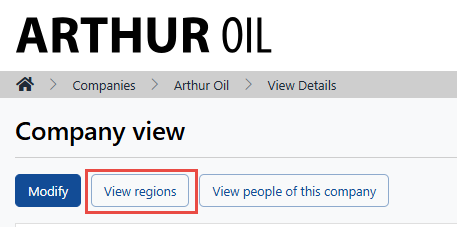
4. Select "View Regions"
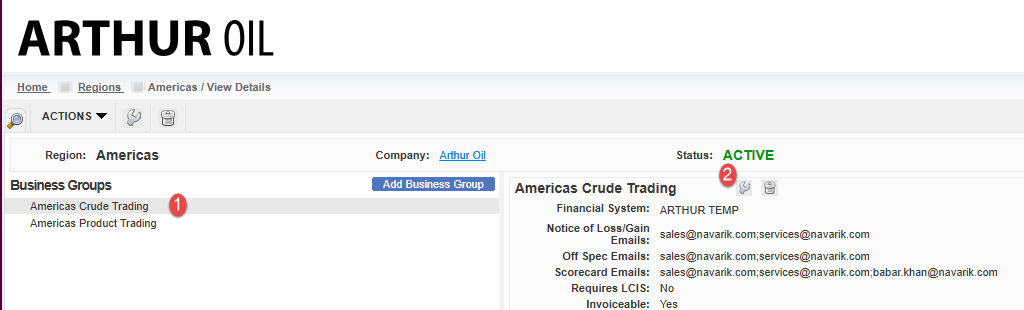
5. Select the Region of your choice and then select the respective Business Group and modify:
6. Enter in the email(s) (note: if multiple addresses, please separate with a semi-colon) and press Save:
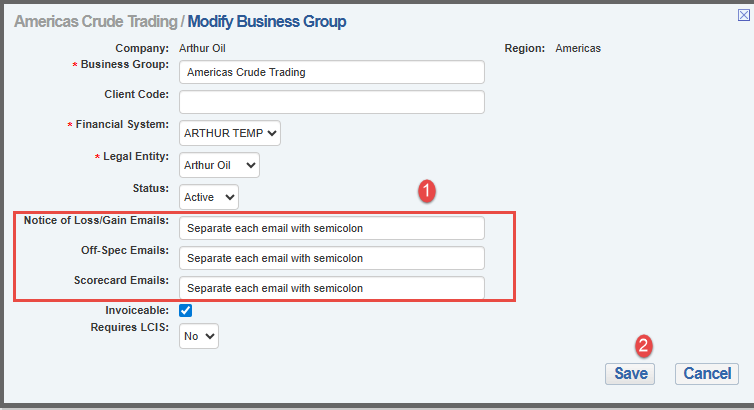
Repeat this for any necessary Business Groups that should be notified.