If you have multiple voyage parcels that were either created through the Navarik Inspection system or externally and you would like to nominate them at the same time, please see below:
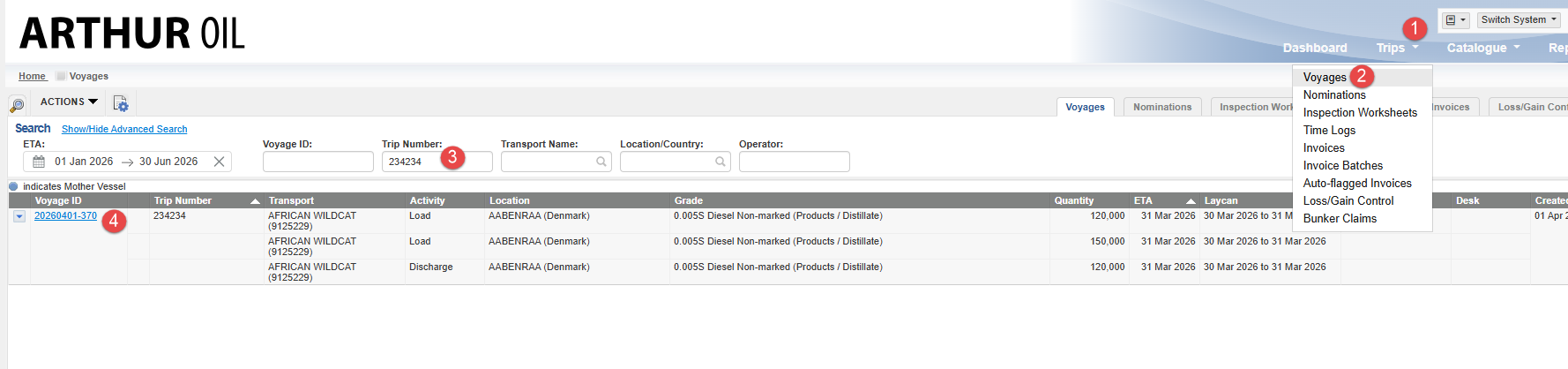
1. Navigate to the Trips drop-down menu>Voyages>Enter the trip number>Find>Select the Voyage ID
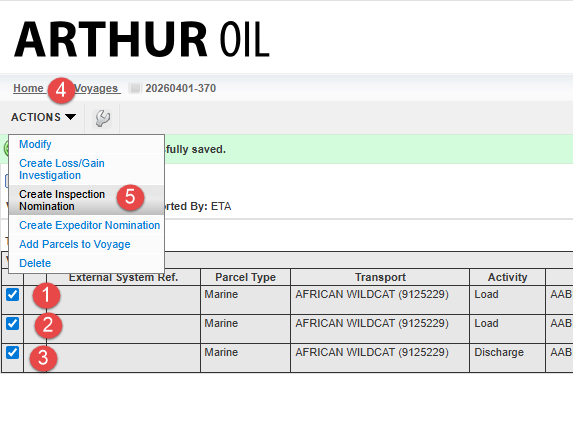
2. Select all applicable voyage parcels>Actions>Create Inspection Nomination
Fill in the required fields and save and issue the nomination. All parcels should now share the same nomination number.