To download a list of Desks available in your company profile, please follow the steps outlined below:
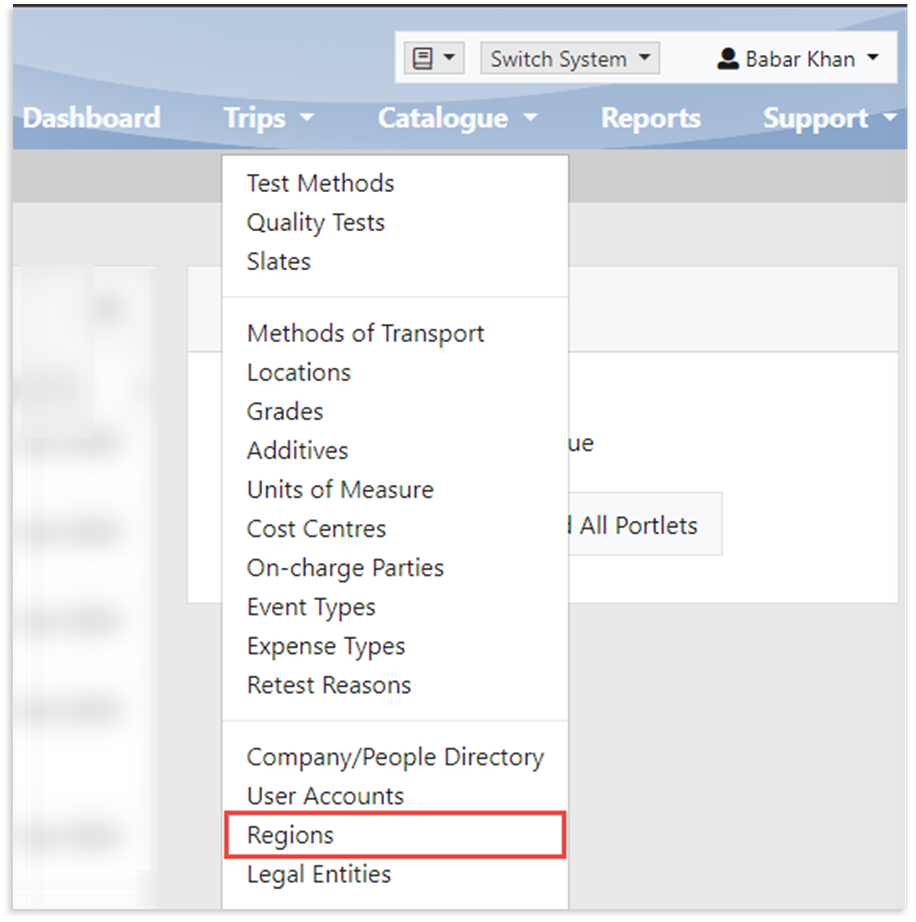
1. From the Catalogue menu, select Regions
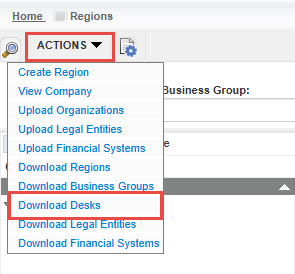
2. On the Regions view-all page, click the Actions tab, and select Download Desks
To download a list of Desks available in your company profile, please follow the steps outlined below:
1. From the Catalogue menu, select Regions
2. On the Regions view-all page, click the Actions tab, and select Download Desks