If you are a user with Member Admin permissions, please follow the below steps to create a new user account. If you are not a system administrator and would like a user account in Navarik VEF, please get in touch with a system administrator at your company.
1. The first step is to make sure you have all of the information needed for the account
- An email address
- Role(s) needed for the user account
- Office the user account will be assigned to
2. Now you are ready to create a person account
•Navigate to the Directory >> Company/ People Directory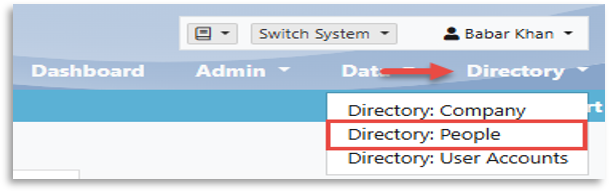
• Click on the Create tab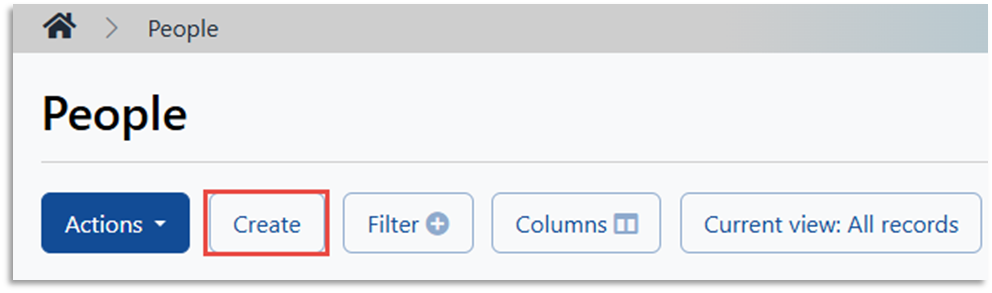
• Select the Company name and office• Enter user email address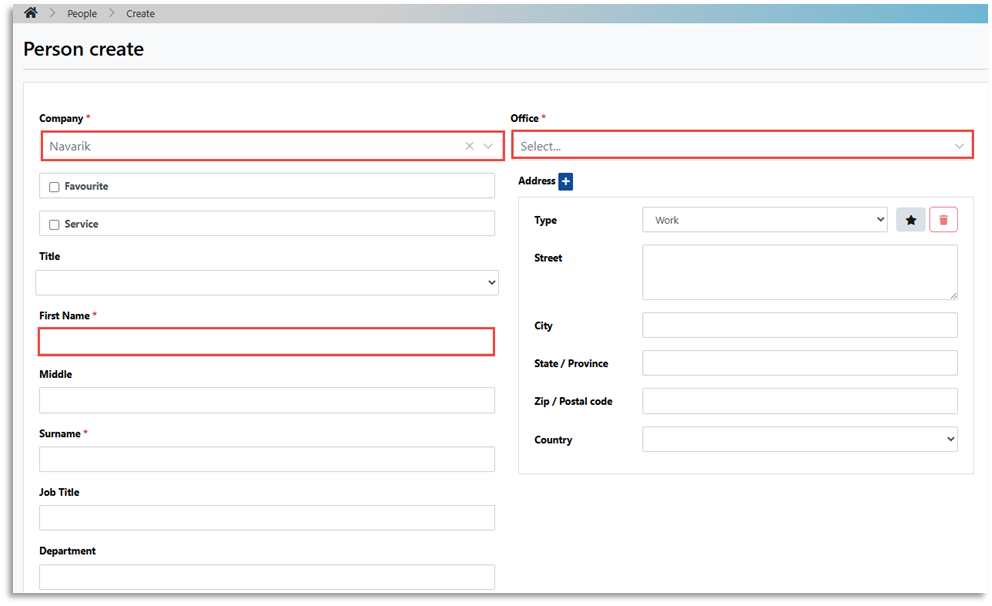
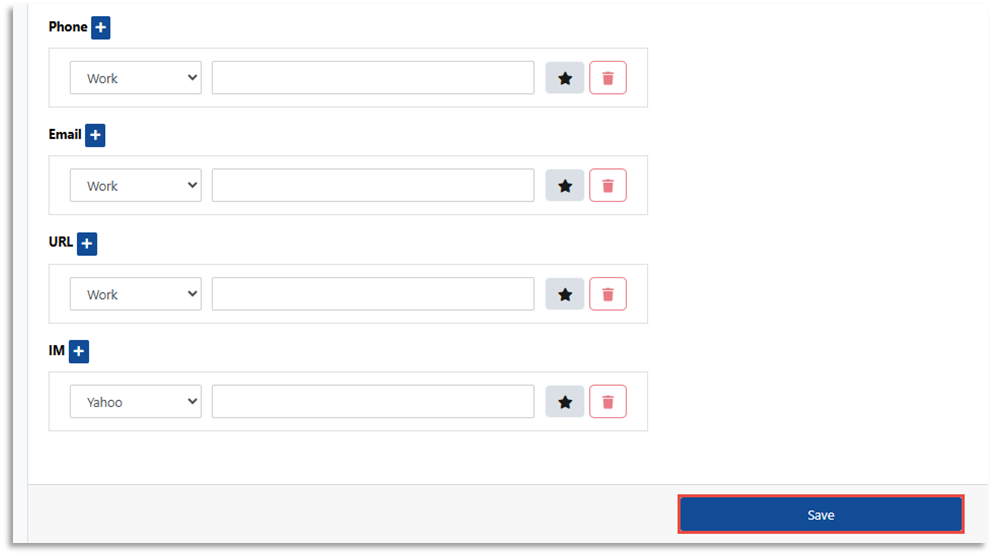
3. Create a User Account for the Person:
• On the Person View page, click "Create User Account" tab
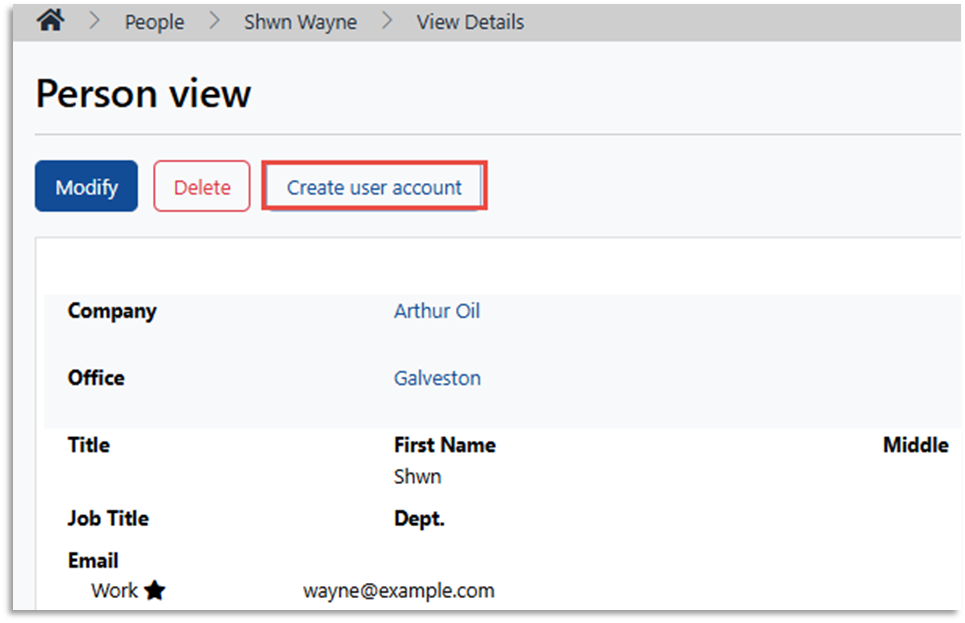
• On the User Account Create page, select the desired user role and click Save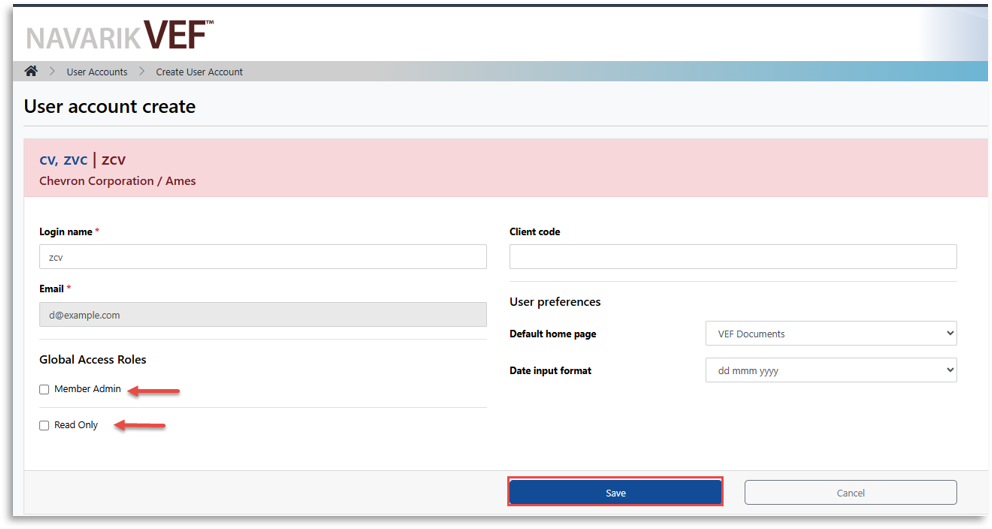
NOTE: The respective user will need to logout and log back in for the new permissions to take effect