Primarily, the Invoice Approver role is assigned to the person responsible for approving or disputing invoices that belong to the business group(s) that they are assigned to.
How to verify your permissions:
If you are an invoice approver, your user account will reflect this role as well as display any business groups that you are assigned to. To check on your user account, select your name on the top right-hand side of the page and select "Account Preferences and Profile Overview".
view of user role:
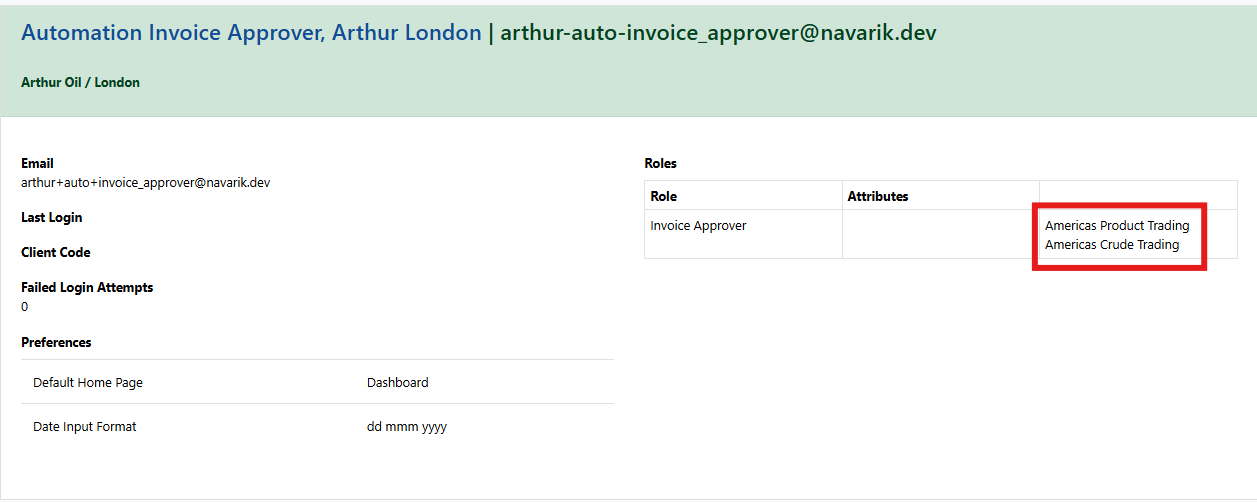
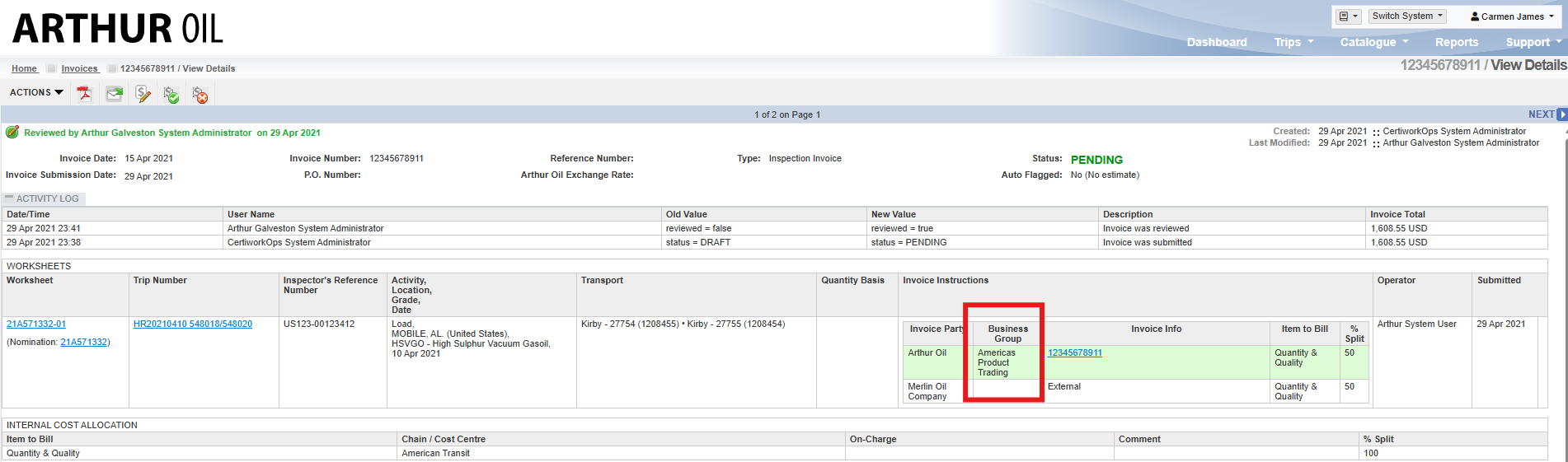
These business groups on your user account above must match up with what is shown on the invoice in order to take action:
view of invoice:
If you do not have the appropriate access set up, please contact your company system administrator. If you are unsure whom to reach out to, please contact support@navarik.com.
Additional Information:
| Invoice Approver assigned to business group A |
|
- When creating a nomination, the Invoice Approver field is a required field on the form although this does not limit the user who will ultimately approve or dispute the invoice. The reason this field is required before a nomination can be saved and issued is so that all parties can easily identify who should be approached should there be any inquiries. Additionally, if the Invoice Approver is on vacation and the person backfilling them will also be able to easily identify which invoices they should be searching for to review and approve.
- An Invoice Approver can be assigned to multiple business groups at the same time.
- The Invoice Approver role takes into consideration which business group is selected in the "Inspection Invoice Instructions" section and not the "Nomination Details Section".